

Your website is like a small café on a busy street. Most visitors walk in, order, and leave happy. But sometimes extra delivery bikes, map apps, bots, browsers, and prefetch systems show up too. .well-known/traffic-advice is a tiny sign on the door that says, “Hey helpful machines, here is how much extra traffic I can handle.”
TLDR: .well-known/traffic-advice is a simple file that gives automated systems advice about sending traffic to your site. For example, a site can say, “Please send only 25% of eligible prefetch traffic right now.” If a shop gets 100,000 visits per day and prefetching adds 10% more requests, this file can help reduce server stress. It is not a magic shield, but it is a polite traffic signal.
What does “.well-known” mean?
The .well-known folder is a special place on a website. It sits near the front door of the domain.
For example:
https://example.com/.well-known/traffic-adviceThis path is meant for files that machines can read. People may visit it too, but it is mainly for software. Think of it as a public notice board for bots, browsers, apps, and services.
Other “well-known” files exist too. They help with security, app links, password changes, and other tasks. The idea is simple. If everyone knows where to look, everyone saves time.

So, what is traffic advice?
Traffic advice is guidance for automated traffic systems. It tells them how much extra traffic your site prefers to receive.
This matters because not all traffic is the same.
- Real users click links and read pages.
- Search crawlers scan pages for search indexes.
- Monitoring tools check if the site is alive.
- Prefetch systems may load pages before a user clicks.
Prefetching can be useful. It can make a page feel fast. A browser or service guesses what a user might open next. Then it loads that page early.
That sounds great. But there is a catch.
If many pages are prefetched and never viewed, your server still works hard. It still sends files. It still uses bandwidth. It may still call databases. It may still spend money.
.well-known/traffic-advice helps with that. It lets your site say, “Thanks, but please slow down.”
What does the file look like?
The file is usually written in JSON. JSON is a simple data format. It is easy for machines to read. It is also not too scary for humans.
A basic example may look like this:
[
  {
    "user_agent": "prefetch-proxy",
    "fraction": 0.25
  }
]
Let’s translate that into plain English.
- user_agent means the kind of automated system being addressed.
- prefetch-proxy means this advice is meant for a prefetch proxy system.
- fraction means the allowed share of eligible traffic.
- 0.25 means about 25%.
So the file says: “Dear prefetch proxy, please send only about 25% of the traffic you might otherwise send.”
A value of 1.0 means 100%. That is basically “full speed.” A value of 0.0 means 0%. That is “please do not send this kind of traffic.”
Is it a rule or a request?
This is important. Traffic advice is advice. It is not a firewall. It is not a password. It is not a legal force field.
Good automated systems may respect it. Bad bots may ignore it. Confused tools may never check it.
Think of it like a sign that says, “Please use the side entrance.” Nice visitors will listen. A raccoon will not.

Why would a website use it?
There are many simple reasons.
- To reduce server load. Busy sites can get tired.
- To lower bandwidth costs. Extra requests can cost money.
- To protect databases. Dynamic pages may be expensive to build.
- To manage flash crowds. News, sales, and launches can bring sudden spikes.
- To keep real users happy. Real clicks matter most.
Imagine an online store running a one-day sale. At 9 a.m., traffic jumps from 500 requests per minute to 4,000 requests per minute. Prefetch traffic adds another 600 requests per minute. That extra load may slow checkout.
By setting a lower fraction, the store can say: “Please reduce the bonus traffic for now.”
How is this different from robots.txt?
robots.txt is the famous file for crawler rules. It often tells search bots what they may or may not crawl.
traffic-advice has a different job. It focuses on traffic volume advice for certain automated systems. It is less about “which pages” and more about “how much.”
Here is a fun way to remember it:
- robots.txt: “Do not go into that room.”
- traffic-advice: “Please do not bring 500 friends at once.”
Where should you put it?
You put it at the root of your site, inside the .well-known path.
https://yourdomain.com/.well-known/traffic-adviceIt should be public. Automated systems need to fetch it without logging in. It should also be served quickly. If the file is broken, missing, or blocked, systems may act as if no advice exists.
Keep it small. Keep it valid. Keep it boring. Boring is good here.
Who should care about it?
Small personal blogs may not need it. If your site gets low traffic, this file may do very little.
But it can be useful for:
- Large publishers with many articles.
- Ecommerce sites with busy product pages.
- Ticket sites during big release days.
- SaaS platforms with expensive backend requests.
- News sites during breaking stories.
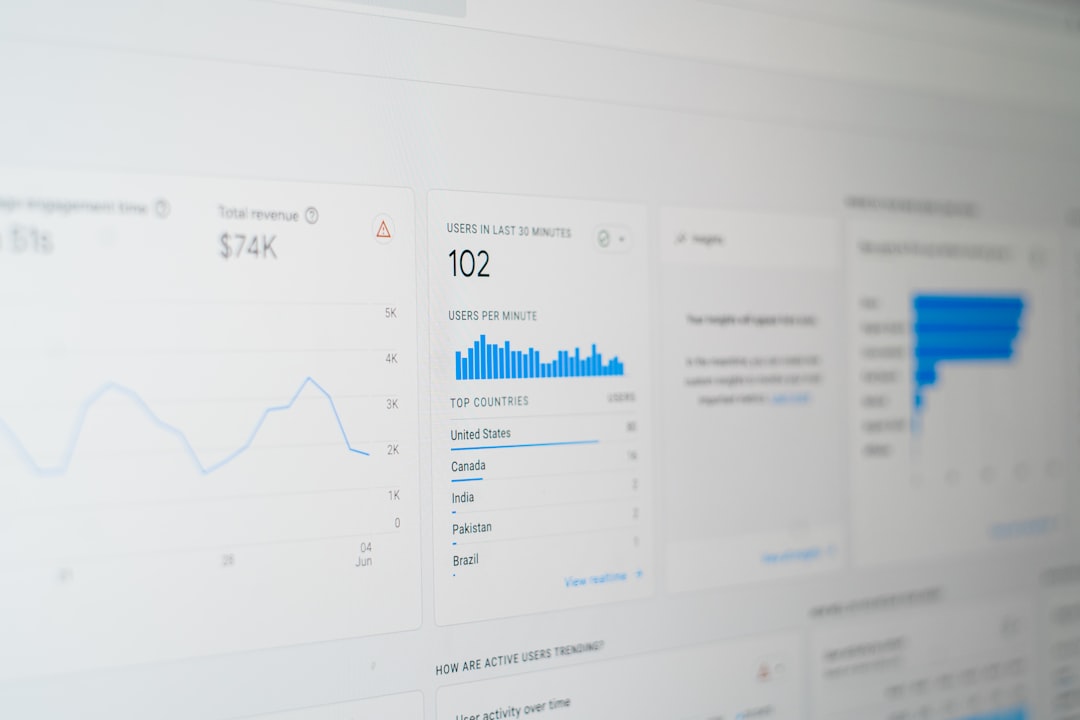
What should you watch after adding it?
Do not set it and forget it. Watch your numbers.
- Server requests per minute
- Bandwidth usage
- Response times
- Error rates
- Conversion rates
If prefetch traffic drops by 40% and users still move fast, great. If pages feel slower, maybe your advice is too strict. Tune it like a volume knob.
What can go wrong?
A few things.
- The JSON can be invalid.
- The file can be placed in the wrong folder.
- The server can return the wrong status code.
- A CDN can cache an old version.
- Some systems may ignore it.
Also, do not use it as your only protection. If you have abusive traffic, use rate limits, bot protection, caching, and proper server controls too.
The simple takeaway
.well-known/traffic-advice is a small file with a friendly job. It helps websites talk to automated traffic systems. It can say, “Full speed,” “half speed,” or “please pause.”
It is simple. It is public. It is polite.
Most of all, it helps keep the web smoother. Real users get better performance. Servers get breathing room. Helpful machines get clear guidance. Everybody wins, except maybe the raccoon.