
HubSpot is usually the stronger choice for interactive email campaigns tied to sales, CRM data, and lead tracking, while Mailchimp is better for simpler campaigns that need speed, clean templates, and lower setup effort. The best pick depends on how much customer data the team wants to use inside the campaign. Mailchimp suits newsletters, ecommerce promos, polls, and product updates. HubSpot suits nurture flows, lead scoring, segmented follow-ups, and campaigns that sales teams need to see inside the CRM.
TLDR: Mailchimp is easier for teams that want to send interactive-looking campaigns fast, such as a product quiz that sends readers to a landing page. HubSpot is stronger when the same campaign must update contact records, trigger sales tasks, and report revenue impact. For example, a B2B software team with 10,000 contacts may use HubSpot to send a 3-step email sequence and see that 18% clicked a pricing CTA, 6% booked a demo, and 22 deals came from the workflow. Mailchimp can report clicks and purchases well, but HubSpot connects those actions to the full customer record with less patchwork.
What “Interactive Email” Really Means
Interactive email sounds exciting, but the term often gets stretched. In practice, it may mean several things:
- Polls and surveys that collect feedback.
- GIFs, image swaps, and countdown timers that make a message feel alive.
- Product recommendation blocks based on behavior or purchase history.
- Personalized CTAs that change by segment or contact data.
- Quiz-style campaigns that send users to a landing page.
- AMP-style email elements, where supported, though client support is still uneven.
The catch is that email clients are annoyingly inconsistent. Gmail, Apple Mail, Outlook, and mobile apps do not treat interactive code the same way. Because of that, most teams build safe interactivity: clickable blocks, animated visuals, segmented content, and tracking paths that continue on a landing page.

Mailchimp for Interactive Email Campaigns
Mailchimp is built for speed. Its editor is friendly, its templates look polished, and most marketers can build a campaign without asking a developer for help. That matters when a campaign has to go out this afternoon, not after three planning meetings.
Mailchimp handles common interactive email needs well. Teams can add buttons, surveys, product blocks, GIFs, promo codes, and clickable sections. Ecommerce brands using Shopify, WooCommerce, or similar stores can add product recommendations and abandoned cart emails. For many small and mid-sized businesses, that is enough.
Its automation features are also easy to grasp. A team can create a welcome series, send a follow-up after a link click, or target customers who bought one item but not another. The workflow builder is not as deep as HubSpot’s, but it stays readable. That is a real advantage for teams that do not want a large marketing operations setup.
Mailchimp’s biggest strength is usability. The platform keeps campaign creation simple. Its analytics are clear too. Open rates, click rates, unsubscribe rates, revenue, and audience growth are easy to find. For ecommerce users, revenue reports can be especially useful.
Still, Mailchimp can feel thin when campaigns get complex. Advanced personalization often requires more manual setup, extra integrations, or careful list management. It drives some teams crazy that data may live in separate places: ecommerce data in one tool, sales notes in another, and campaign data in Mailchimp. That split can slow reporting and make attribution messy.
HubSpot for Interactive Email Campaigns
HubSpot is better when interactive campaigns are part of a larger customer journey. Its email builder is only one part of a bigger system that includes CRM records, forms, landing pages, workflows, lists, ads, and sales activity.
That connection is the main reason teams choose HubSpot. A contact can click an email CTA, visit a pricing page, fill out a form, increase a lead score, enter a workflow, and trigger a sales notification. All of that can appear on the same contact timeline. For B2B teams, that visibility is often worth the higher cost.
HubSpot also supports strong personalization. Teams can use contact properties, lifecycle stages, list membership, past behavior, and smart content rules. A returning lead can see one CTA, while a new subscriber sees another. A customer can receive product education, while a sales-qualified lead receives a demo offer.
The email editor is polished, though it can feel heavier than Mailchimp. Simple tasks may take longer because there are more settings, more CRM fields, and more workflow options. Honestly, it feels like a 5-minute email can become a 20-minute setup when the team starts adding smart rules, suppression lists, and reporting goals.
For larger teams, that extra control is helpful. For tiny teams, it may feel like too much.

Creation Experience: Which Tool Feels Better?
Mailchimp feels lighter. The drag-and-drop editor is simple, template selection is broad, and campaign setup is quick. It is a good fit for teams that value speed over deep logic.
HubSpot feels more structured. It asks teams to think about contacts, lists, lifecycle stages, goals, and workflow triggers. That structure helps long-term reporting, but it adds steps.
For interactive campaigns, this difference matters. A retailer promoting a flash sale may prefer Mailchimp because the campaign can be built fast. A SaaS company running a lead nurture sequence may prefer HubSpot because every click can shape the next step.
Personalization and Segmentation
Mailchimp offers solid segmentation. Teams can target users by tags, groups, location, purchase history, engagement, and predicted demographics on certain plans. This works well for newsletters, ecommerce promos, and audience reactivation campaigns.
HubSpot goes deeper because segmentation is based on CRM data. A team can filter by company size, deal stage, form submission, page view, email activity, lead score, sales owner, and custom properties. This makes HubSpot stronger for account-based marketing and long buying cycles.
If the campaign needs to say, “Send this version to leads from healthcare companies with more than 500 employees who viewed the pricing page twice,” HubSpot is the better tool.
Analytics and Reporting
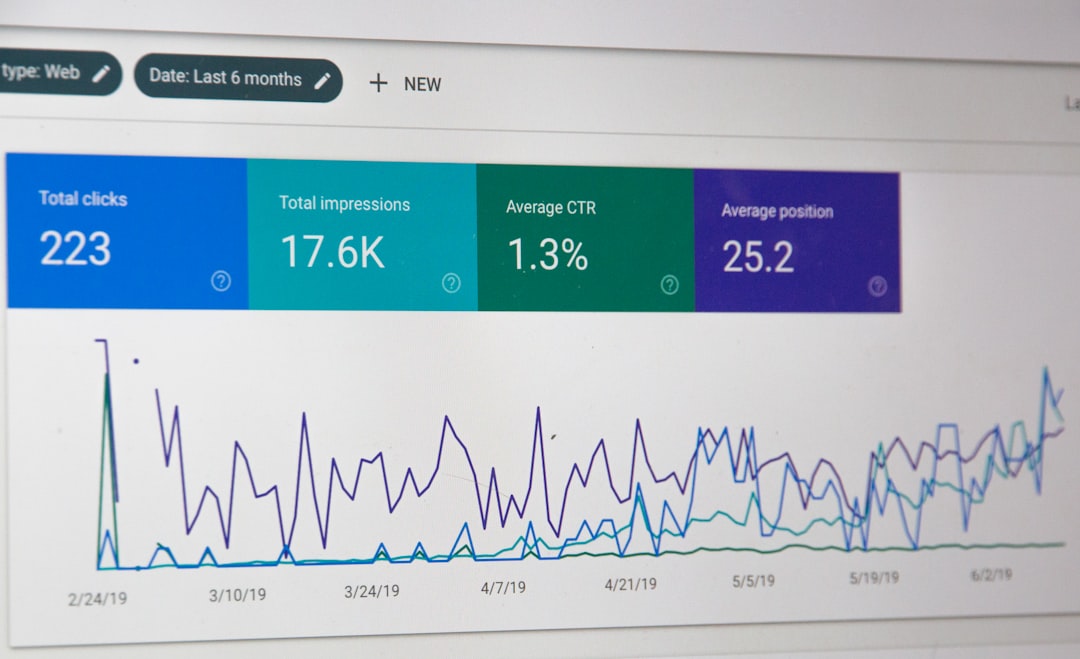
Mailchimp gives clean email reports. Teams can measure opens, clicks, conversions, purchases, click maps, unsubscribes, and campaign revenue. For ecommerce marketers, these reports are usually enough.
HubSpot goes further by connecting email engagement to CRM activity and sales outcomes. A manager can see which emails influenced contacts, deals, pipeline, and revenue. That makes it easier to defend marketing spend.
For example, Mailchimp may show that a product email earned a 3.8% click rate. HubSpot may show that the same type of campaign influenced $42,000 in pipeline, created 14 sales tasks, and moved 9 contacts from marketing-qualified lead to sales-qualified lead.
Pricing and Value
Mailchimp is usually more approachable for smaller teams. It has a free tier and paid plans that scale by contact count and features. Costs can rise as lists grow, but the entry point is friendly.
HubSpot can become expensive, especially when teams need advanced automation, smart content, custom reporting, or multiple users. The value is strongest when a company also uses HubSpot CRM, Sales Hub, or Service Hub.
So the pricing question is not only, “Which email tool costs less?” It is, “Which tool replaces more disconnected work?” Mailchimp often wins on direct email cost. HubSpot wins when it reduces manual CRM updates, sales handoff issues, and reporting gaps.
Best Use Cases
- Choose Mailchimp for newsletters, ecommerce promos, simple polls, seasonal campaigns, creator emails, small business marketing, and quick product announcements.
- Choose HubSpot for B2B lead nurturing, lifecycle campaigns, sales follow-up, lead scoring, CRM-based personalization, and revenue reporting.
- Use Mailchimp when the team wants speed and low friction.
- Use HubSpot when the team needs data depth and multi-step automation.
Final Verdict
Mailchimp is the practical choice for simpler interactive campaigns. It is easier to learn, faster to launch, and strong for ecommerce and newsletter use. Its interactive options are enough for many teams, especially when the goal is engagement rather than complex lead movement.
HubSpot is the stronger platform for interactive campaigns that need CRM intelligence. It connects email clicks to contact records, workflows, sales tasks, and revenue reports. That makes it better for companies with longer sales cycles or more complex segmentation needs.
The clean answer is this: Mailchimp helps teams send better emails faster. HubSpot helps teams turn email engagement into a managed sales and marketing process.
FAQ
Which is better for interactive emails, Mailchimp or HubSpot?
HubSpot is better for CRM-based interactive campaigns, while Mailchimp is better for quick, easy interactive-looking emails. The right choice depends on campaign complexity.
Does Mailchimp support interactive email features?
Yes. Mailchimp supports surveys, polls, GIFs, product blocks, buttons, segmentation, and automation. More advanced interactive coding may be limited by email client support.
Does HubSpot allow advanced personalization in emails?
Yes. HubSpot supports personalization tokens, smart content, CRM-based lists, workflows, and behavior-based targeting, especially on higher-tier plans.
Which tool is easier for beginners?
Mailchimp is easier for beginners. Its editor and campaign setup are simpler. HubSpot has more power, but it also has more settings to manage.
Which platform is better for B2B marketing?
HubSpot is usually better for B2B marketing because it connects email activity with CRM records, lead scoring, pipeline, and sales follow-up.
Which platform is better for ecommerce?
Mailchimp is often a strong fit for ecommerce, especially for smaller stores. HubSpot can also work well, but it makes the most sense when CRM and lifecycle tracking are needed.