
In 2026, a Magento performance audit is no longer a one-time technical exercise. It is a structured review of infrastructure, code quality, frontend delivery, database health, caching, third-party integrations, and operational discipline. For Magento Open Source and Adobe Commerce stores, performance directly affects conversion rates, crawl efficiency, customer trust, and the total cost of ownership.
TLDR: A serious Magento performance audit should measure real user experience, not only server response times. The checklist must cover hosting, caching, frontend assets, database queries, extensions, checkout performance, and monitoring. In 2026, special attention should be given to Core Web Vitals, GraphQL and API efficiency, edge caching, and observability. The best audits end with a prioritized remediation plan, not just a list of technical problems.
1. Establish a Reliable Performance Baseline
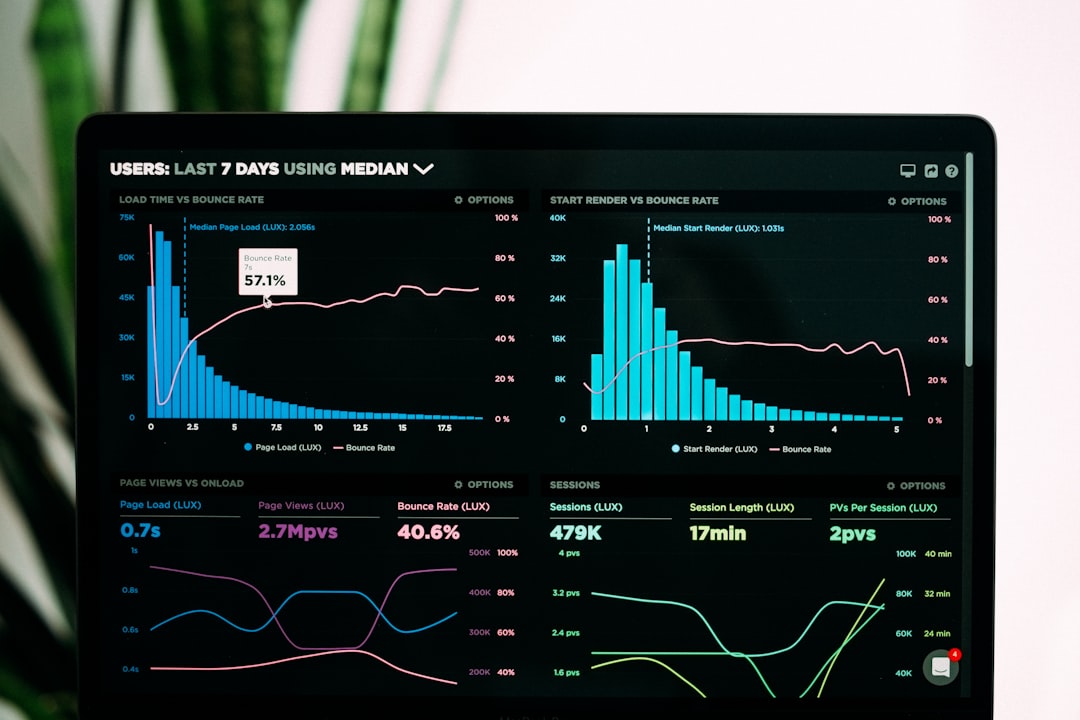
Before changing anything, define what “fast” means for your store. A trustworthy audit begins with data from multiple sources: real user monitoring, synthetic tests, server logs, application logs, and analytics. Avoid relying on a single Lighthouse score, because lab tests may not reflect checkout friction, slow category filters, or delays experienced by mobile users on unstable networks.
- Measure Core Web Vitals: Largest Contentful Paint, Interaction to Next Paint, and Cumulative Layout Shift.
- Track server metrics: Time to First Byte, PHP execution time, database response time, Redis latency, and cache hit rate.
- Segment by page type: homepage, category pages, product pages, search results, cart, checkout, and customer account pages.
- Compare devices and regions: mobile users often expose issues hidden on high-speed desktop connections.
The objective is not to produce attractive charts; it is to identify where revenue-impacting delays occur.
2. Review Hosting and Infrastructure
Magento is resource-intensive, so weak infrastructure will limit every optimization effort. In 2026, a serious audit should review whether the environment is appropriately sized, isolated, secure, and observable. This includes CPU capacity, memory allocation, disk I/O, network latency, and autoscaling behavior during campaigns.
- Confirm that PHP, MySQL or MariaDB, Redis, OpenSearch or Elasticsearch, and web server versions are supported and tuned.
- Check whether production uses HTTP/2 or HTTP/3, TLS optimization, Brotli or Gzip compression, and a modern CDN.
- Validate separation of responsibilities: web nodes, database, cache, search, queue consumers, and cron processes should not compete unnecessarily.
- Review backup processes to ensure they do not degrade performance during business hours.
For Adobe Commerce Cloud or managed hosting, review service limits, scaling rules, and historical incidents. For self-managed environments, verify configuration management, patching routines, and disaster recovery procedures.
3. Audit Full Page Cache and Edge Caching
Magento performance depends heavily on effective caching. A store with poor cache behavior can appear stable in development but fail under real traffic. Review Full Page Cache, Varnish or CDN edge caching, Redis sessions, Redis object cache, and cache invalidation patterns.
- Check cache hit ratios for key page types.
- Identify blocks that frequently make pages uncacheable.
- Review custom modules that use private content incorrectly.
- Confirm that cache tags are not being purged too aggressively.
- Test cache warmup processes after deployments and catalog updates.
Overly broad cache purges are a common cause of inconsistent Magento performance. A good audit should distinguish between pages that are slow because they are uncached and pages that are slow even when served from cache.
4. Examine Frontend Performance
The frontend is often where customers feel performance problems most clearly. Magento themes can accumulate heavy JavaScript, unused CSS, oversized images, tracking scripts, and layout shifts. In 2026, frontend audit work should focus on shipping less code and improving perceived speed.
- Analyze JavaScript bundle size and execution time.
- Remove unused libraries, redundant sliders, and legacy widgets.
- Defer or delay non-critical third-party scripts.
- Use responsive images, next-generation formats, lazy loading, and correct dimensions.
- Review fonts for file size, loading strategy, and layout stability.
Pay special attention to mobile category and product pages. These pages often include layered navigation, recommendations, reviews, media galleries, and marketing scripts. Each component may appear harmless alone, but together they can delay interaction and reduce conversions.

5. Inspect Database Health and Query Performance
A Magento database contains catalog data, customer records, orders, rules, indexes, logs, and extension tables. Over time, poor indexing, large tables, inefficient queries, and unnecessary historical data can slow the entire store.
- Identify slow queries from logs and database monitoring tools.
- Review table sizes, indexes, and query execution plans.
- Check cron-related tables, logs, reports, and abandoned temporary data.
- Confirm that indexers are running correctly and not constantly stuck or reprocessing.
- Evaluate whether order, quote, and customer data growth requires archiving policies.
Do not delete data blindly. A responsible audit recommends retention rules, backups, and testing before cleanup. For enterprise stores, database optimization should be coordinated with compliance, finance, and support teams.
6. Validate Search, Indexing, and Catalog Performance
Search and catalog navigation have a major impact on revenue. Review OpenSearch or Elasticsearch configuration, index size, query latency, synonym usage, layered navigation performance, and search result relevance. A technically fast search experience that returns poor results is still a business problem.
Check whether product attributes are configured efficiently. Too many filterable or searchable attributes can increase index size and slow catalog pages. Also review configurable products, price rules, inventory calculations, and catalog promotions, because these can trigger expensive computations.
7. Review Extensions and Custom Code
Every extension adds risk. Some modules introduce observers, plugins, layout updates, API calls, database queries, and frontend assets that affect performance across the store. A 2026 audit should include a disciplined review of all third-party and custom code.
- Disable non-essential modules in a staging environment and measure impact.
- Review plugins on frequently used classes, especially product, cart, quote, checkout, and customer objects.
- Identify synchronous external API calls during page load or checkout.
- Check coding standards, dependency injection usage, and excessive object loading.
- Confirm extension compatibility with the current Magento and PHP versions.
High-risk warning: checkout customizations deserve special scrutiny. Delays in shipping rates, payment authorization, tax calculation, fraud checks, or address validation can directly reduce completed orders.
8. Test Cart and Checkout Under Realistic Conditions
Cart and checkout performance should be tested with realistic products, customer groups, coupons, shipping destinations, taxes, and payment methods. A checkout that performs well with one simple product may struggle with bundles, configurable products, promotions, or international shipping rules.
- Measure each checkout step separately.
- Review quote table growth and abandoned cart volume.
- Test payment and shipping integrations under normal and peak traffic.
- Confirm that errors are logged clearly and do not cause repeated retries.
Where possible, move non-critical processes to queues. Customers should not wait for tasks that can safely happen after the order is placed.
9. Audit APIs, GraphQL, and Headless Implementations
Many Magento stores now use headless frontends, mobile apps, marketplaces, ERP integrations, and personalization systems. These depend on REST, GraphQL, message queues, and webhooks. Poor API performance can create slow pages, failed syncs, and inaccurate inventory or pricing.
- Profile expensive GraphQL queries and reduce over-fetching.
- Use caching where appropriate for catalog and content responses.
- Rate-limit abusive or inefficient integrations.
- Monitor queue depth, failed messages, and consumer health.

10. Confirm Operational Monitoring and Release Discipline
Performance must be protected after the audit ends. Review deployment processes, staging parity, automated testing, rollback plans, alerting, and post-release verification. A mature Magento operation detects regressions quickly and ties them to specific releases, traffic events, or external services.
- Set performance budgets for page weight, script execution, and response time.
- Add alerts for cache failures, search latency, queue buildup, and database load.
- Run load tests before major campaigns and seasonal peaks.
- Document ownership for every critical service and integration.
Final Audit Deliverable
A complete Magento performance audit should end with a clear remediation plan. Classify findings by business impact, technical risk, implementation effort, and expected performance gain. Separate quick wins from structural work, and avoid presenting every issue as equally urgent.
The strongest audit reports include evidence, benchmarks, screenshots, logs, and before-and-after targets. They also define who is responsible for each action: development, infrastructure, merchandising, analytics, or third-party vendors. In 2026, Magento performance is not just a developer concern; it is a shared operational responsibility that protects revenue, customer experience, and long-term platform stability.