
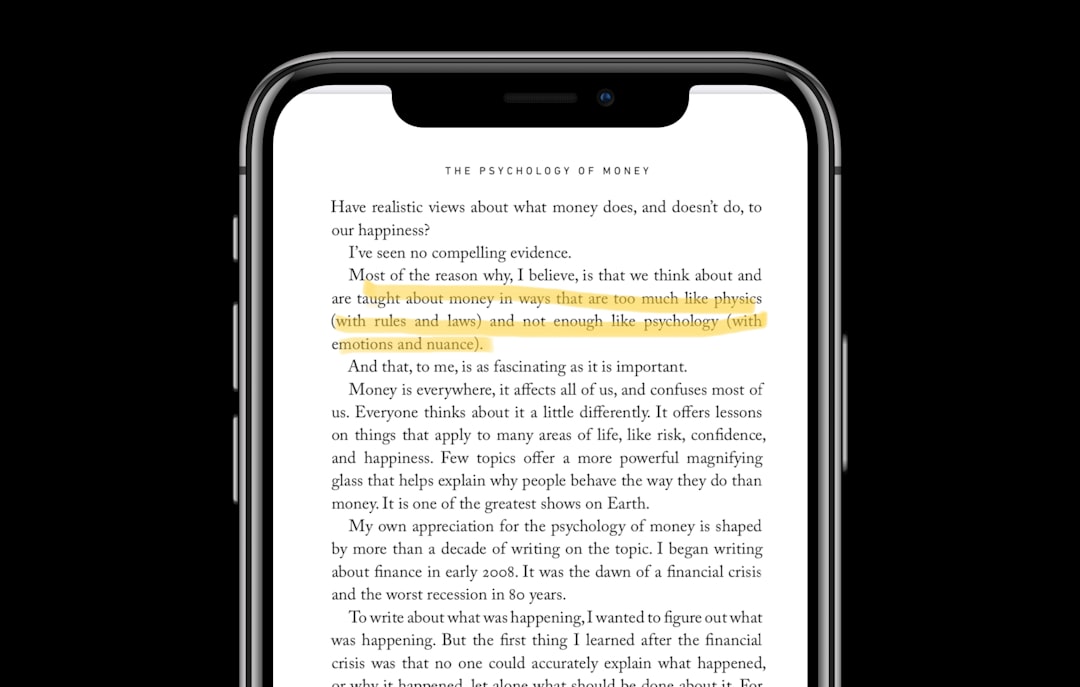
Choosing PDF annotation software is not just about adding highlights or sticky notes. For students, legal teams, teachers, consultants, and office workers, the right tool can reduce review time, improve document accuracy, and keep feedback organized. This review looks closely at PDF Annotator, its core features, pricing considerations, and how it compares with some of the best PDF annotation software available today.
TL;DR: PDF Annotator is a reliable Windows-focused tool for marking up PDFs with comments, drawings, stamps, highlights, and handwritten notes. It is especially useful for users who review documents regularly, such as a teacher grading 30 assignments per week or a project manager commenting on a 50-page proposal. Its main strength is simplicity and annotation depth, while its biggest limitation is the lack of native macOS support. If you need advanced editing, OCR, or cloud collaboration, alternatives like Adobe Acrobat, Foxit PDF Editor, or PDF-XChange Editor may be better suited.
What Is PDF Annotator?
PDF Annotator is a desktop application designed primarily for adding comments and markups to PDF files. It is developed for Windows and is commonly used by professionals who need to review, correct, or explain information directly inside PDF documents.
Unlike full-scale PDF editors that focus heavily on restructuring pages, converting files, or editing text blocks, PDF Annotator concentrates on the review process. Its purpose is clear: open a PDF, mark it up, save it, and share it without unnecessary complexity.

Key Features of PDF Annotator
PDF Annotator offers a practical feature set for anyone who works with PDFs daily. The interface is relatively straightforward, and most tools are accessible without a long learning curve.
- Highlighting and underlining: Users can emphasize important passages, mark errors, or draw attention to specific sections of a document.
- Sticky notes and comments: Reviewers can add explanations, questions, or instructions without altering the original text.
- Freehand drawing: This is useful for touchscreen devices, tablets, and stylus users who prefer handwriting or sketching directly on the page.
- Shapes and arrows: Rectangles, circles, lines, and arrows help point out issues in reports, contracts, plans, and educational materials.
- Custom stamps: Users can apply stamps such as “Approved,” “Rejected,” “Reviewed,” or create personalized stamps for internal workflows.
- Page management: PDF Annotator allows users to insert, delete, rotate, and rearrange pages, which is helpful for preparing final review copies.
- Save annotations permanently: Markups can be saved into the PDF file, making them viewable in most standard PDF readers.
These tools make PDF Annotator especially effective for review-heavy workflows. For example, an architecture firm can use drawing tools and arrows to comment on floor plans, while a university lecturer can return annotated lecture notes to students.
Ease of Use and Performance
One of PDF Annotator’s strongest qualities is its usability. The software feels focused and does not overwhelm users with too many unrelated functions. Most common annotation tools are visible in the toolbar, and documents open quickly on modern Windows computers.
Performance is generally solid, even with longer PDFs. Users working with large technical manuals, scanned packets, or legal files may still experience slower load times depending on file size, but the software is stable enough for regular professional use.
Its interface may look more traditional than some cloud-first annotation apps, but that can be an advantage for businesses that prefer desktop software and local file control. For organizations handling sensitive documents, working locally can also reduce concerns about uploading files to third-party servers.
PDF Annotator Pricing
PDF Annotator is typically sold as a paid desktop license, often with volume discounts for teams, educational users, or organizations purchasing multiple seats. Pricing can change, so it is important to check the official vendor page before buying.
In general, PDF Annotator is positioned as a mid-range professional tool: more expensive than basic free readers, but usually less costly than some enterprise-level PDF editors. The value depends on how much annotation work you do. If you only highlight a PDF once a month, a free tool may be enough. If you review documents every day, the time saved can justify the cost.
Before purchasing, users should confirm whether the license includes updates, how many devices are covered, and whether upgrade fees apply to future versions.
Pros and Cons

Pros
- Excellent annotation toolkit for comments, drawings, highlights, stamps, and handwritten notes.
- Simple workflow that is easy to understand for non-technical users.
- Good for stylus input, making it useful on Windows tablets and touchscreen laptops.
- Local desktop use, which may appeal to users concerned about document privacy.
- Annotations remain compatible with many standard PDF readers when saved properly.
Cons
- Windows-only focus, which is a major limitation for Mac users.
- Limited advanced editing compared with full PDF suites.
- No strong cloud collaboration system built in for real-time team review.
- Interface feels traditional compared with newer browser-based tools.
Who Should Use PDF Annotator?
PDF Annotator is best for users who primarily need to review and mark up documents, rather than redesign or heavily edit them. It is a strong fit for educators, lawyers, engineers, consultants, editors, and administrative teams.
For example, a legal assistant reviewing 20 contracts per week can use color-coded highlights for clauses, sticky notes for attorney questions, and stamps for approval status. In that scenario, PDF Annotator provides a structured and repeatable workflow that is more efficient than printing, marking by hand, and scanning documents again.
However, users who need advanced OCR, document conversion, electronic signatures, or collaborative cloud review may want a broader PDF platform.
Best PDF Annotation Software Alternatives
PDF Annotator is a capable tool, but it is not the only option. The best choice depends on your operating system, budget, and workflow requirements.
- Adobe Acrobat: Best for businesses that need full PDF editing, e-signatures, OCR, forms, and strong compatibility. It is powerful but usually more expensive.
- Foxit PDF Editor: A strong professional alternative with annotation, editing, security, and collaboration features. It is suitable for teams that need more than markup tools.
- PDF-XChange Editor: A popular Windows PDF tool known for a strong feature set and competitive pricing. It is excellent for users who want annotation plus advanced PDF control.
- Drawboard PDF: A good option for stylus-based annotation, especially for designers, engineers, and students using Windows tablets.
- Xodo: A convenient option for users who want cross-platform access and simple annotation tools, including browser-based PDF review.
- Wondershare PDFelement: Suitable for users who need a balance of editing, annotation, OCR, and conversion features in a more modern interface.

Final Verdict
PDF Annotator is a serious, dependable choice for Windows users who spend a significant amount of time reviewing PDFs. Its annotation tools are practical, responsive, and well suited for professional document feedback. It does not try to be everything, and that focused approach is one of its strengths.
That said, it is not the best solution for every user. Mac users, cloud-first teams, and organizations needing advanced editing or automation should compare it carefully with broader PDF platforms. But for teachers, reviewers, consultants, and business users who want a straightforward desktop annotation tool, PDF Annotator remains a strong and trustworthy option.
Overall, the best PDF annotation software is the one that fits your workflow. If your priority is clear, accurate markup on Windows, PDF Annotator deserves serious consideration. If your needs extend into editing, conversion, OCR, and collaboration, a more comprehensive PDF editor may offer better long-term value.