
Roku is the better streaming device for most homes because it is cheaper, safer, easier to use, and built around official apps. VSeeBox makes more sense for viewers who want a broader live-TV-style experience from one box and are comfortable with Android-style menus, app updates, and less hand-holding. Roku also has scale on its side, with Roku reporting nearly 90 million streaming households in late 2024 [source: Roku].
TLDR: Roku is the stronger pick for families that mainly watch Netflix, YouTube, Hulu, Max, Disney+, Prime Video, and free ad-supported channels. VSeeBox can appeal to a household that wants lots of live channels in one place, but it may require more patience and technical comfort. For example, a household that watches paid apps 80% of the time and live channels 20% of the time will likely be happier with Roku. A household that wants a cable-like channel grid every night may find VSeeBox more tempting.
Quick Verdict: Roku Wins for Most Living Rooms
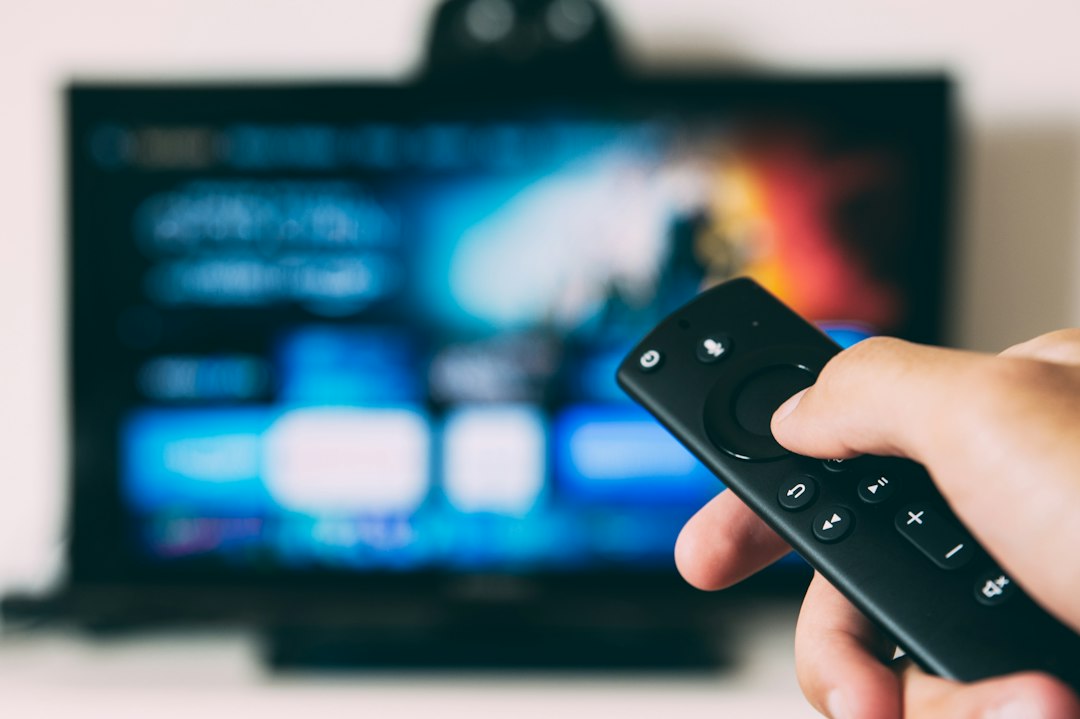
Roku is the safer default. It has a clean interface, a huge app store, low-cost devices, and simple remotes. It works well for parents, kids, guests, and anyone who just wants the TV to turn on and play something without a small tech support session.
VSeeBox feels different. It is closer to an Android TV box built around live TV, video-on-demand apps, and a more flexible setup. That flexibility can be useful. It can also create friction. Honestly, it feels like the kind of device that rewards the person in the house who enjoys tweaking settings, while everyone else just wants the remote to work.
What Roku Does Best
Roku focuses on simplicity. The home screen is a grid of apps. The search tool checks many major services. The remote is basic. Most Roku devices take only a few minutes to set up.
Roku also gives users access to the major streaming services people already know. That includes Netflix, Apple TV, YouTube, Peacock, Hulu, Disney+, Paramount+, Spotify, Plex, and many more. The Roku Channel adds free movies, shows, and live-style channels supported by ads.
The best part is consistency. A Roku Streaming Stick, Roku Express, or Roku Ultra may differ in speed and features, but the software feels familiar across the lineup. That matters in a home with more than one TV. A bedroom Roku will not feel totally different from a living room Roku.
- Best for: mainstream streaming apps
- Setup difficulty: very low
- Remote quality: simple and easy
- App availability: excellent for legal streaming services
- Typical buyer: families, casual viewers, renters, seniors
What VSeeBox Does Best
VSeeBox is aimed at viewers who want a more loaded TV box. Many buyers look at it because of its live TV-style features, video-on-demand options, and Android-based flexibility. Its appeal is clear: one box, lots of content, and fewer separate app subscriptions in daily use.
VSeeBox devices often include voice remote support, 4K playback support, dual-band Wi-Fi, and access to Android apps. Some models also promote specialized TV apps. For a viewer who wants sports, news, movies, and international channels in one interface, VSeeBox can feel more complete than a basic Roku stick.
The catch is that it can be less predictable. App behavior may change. Menus may feel busier. Updates can be less smooth than Roku updates. If a stream fails, the average viewer may not know if the issue is Wi-Fi, an app server, a box setting, or the content source.
- Best for: live-TV-style viewing and Android app flexibility
- Setup difficulty: medium
- Remote quality: depends on the model
- App availability: broad, but less polished
- Typical buyer: tech-comfortable viewers and cord-cutters chasing more channels
Price and Long-Term Cost
Roku usually wins on upfront price. Entry-level Roku devices are often inexpensive, and even premium Roku boxes tend to cost less than many specialty Android TV boxes. A Roku device can be bought for a spare room without much thought.
VSeeBox often costs more upfront. Buyers may justify that price if they expect it to replace parts of a cable-style setup. Even then, the calculation is not just about the box. The household should consider app subscriptions, internet speed, reliability, and how often someone will need to fix small issues.
For a home that already subscribes to Netflix, YouTube TV, Hulu, or Disney+, Roku is usually the cleaner value. For a home trying to reduce a cable bill and willing to experiment, VSeeBox may look more attractive.
Ease of Use: Roku Is Less Annoying
Roku is built for people who do not want to think about the device. It wakes quickly, opens apps with little fuss, and rarely hides basic settings. Search is easy. App installation is easy. Account setup is plain enough.
VSeeBox asks more from the user. The interface can include more categories, more apps, and more settings. Some users will like that. Others will not. It drives some people crazy when a simple action, such as finding the right channel section, takes 20 seconds longer than it should because the menu has too many choices.
For shared households, this matters. A device in a family room needs to be boring in a good way. Roku is boring in a good way.
Content Quality and App Support
Roku is strongest when content comes from official apps. Picture quality, subtitles, profiles, watchlists, parental controls, and billing all tend to work as expected. This is the main reason Roku is better for households that depend on major streaming platforms.
VSeeBox may offer more content variety in certain setups, but quality can vary by app and source. Some streams may look great. Others may buffer, fail, or have weaker subtitle support. The experience can change from one day to the next.
There is also a rights issue to consider. Roku’s major apps are official and licensed. With any third-party Android box, the household should pay attention to where content comes from. If an offer seems too good to be true, that is a warning sign. A home TV setup should not create legal or security headaches.
Performance and Hardware
Roku devices are not always the fastest on paper. Budget models can feel slower than premium boxes. The Roku Ultra is much smoother than the Roku Express. Still, Roku software is light, so even modest hardware can feel fine for normal viewing.
VSeeBox models may include stronger hardware specs, more storage, and Android flexibility. That can help with app switching and media playback. Yet specs do not always equal a better living-room experience. Software polish matters more than raw numbers when someone just wants to watch a show after dinner.
Privacy, Ads, and Control
Roku includes ads in its interface. Some viewers dislike seeing promoted shows or services on the home screen. Still, Roku’s ad system is predictable, and the settings are easy to understand.
VSeeBox may give users more control in some areas, especially because it is Android-based. At the same time, sideloaded apps or lesser-known services can raise privacy concerns. Households should avoid random app files and stick with trusted services where possible.
Which One Should a Household Buy?
Roku is the better choice if the home needs a reliable streamer for common apps, free ad-supported TV, rentals, and simple daily use. It is also better for guests, older relatives, and households with several TVs.
VSeeBox is the better choice if the viewer wants a broader channel-style experience and does not mind a more hands-on setup. It is better suited to someone who understands Android boxes and can solve occasional app problems without getting annoyed.
For most homes, the answer is simple: Roku belongs in the main recommendation slot. VSeeBox is more of a niche pick. It can be useful, but it is not as simple or as dependable for everyday streaming.
FAQ
Is VSeeBox better than Roku for live TV?
VSeeBox may feel better for viewers who want a live-TV-style layout with many channel options. Roku is better for official live TV apps such as YouTube TV, Sling TV, Hulu + Live TV, and Fubo.
Is Roku easier to use than VSeeBox?
Yes. Roku is easier for most people. Its menus are simpler, app setup is clearer, and the remote has fewer distractions.
Does Roku have free channels?
Yes. Roku offers free ad-supported content through The Roku Channel and many other free apps, including Pluto TV, Tubi, Freevee, and Plex.
Is VSeeBox legal to use?
The device itself can be legal, but legality depends on the apps and content sources used. Viewers should use licensed services and avoid suspicious streams.
Which device is better for seniors?
Roku is usually better for seniors because the interface is simple and the remote is easy to learn.
Which device is better for a main family TV?
Roku is the better fit for most family TVs. VSeeBox is better for a tech-comfortable user who wants more live-channel options and accepts extra setup work.